
When using the Membership section, you can customize various settings and features to make the Membership experience work for your users exactly as you wish.
Step 1: Accessing the Settings
- Navigate to Sites > Membership
- Here you can access “Site Details”, “Custom Domains”, and “Email Settings”

Step 2: Customizing the Settings
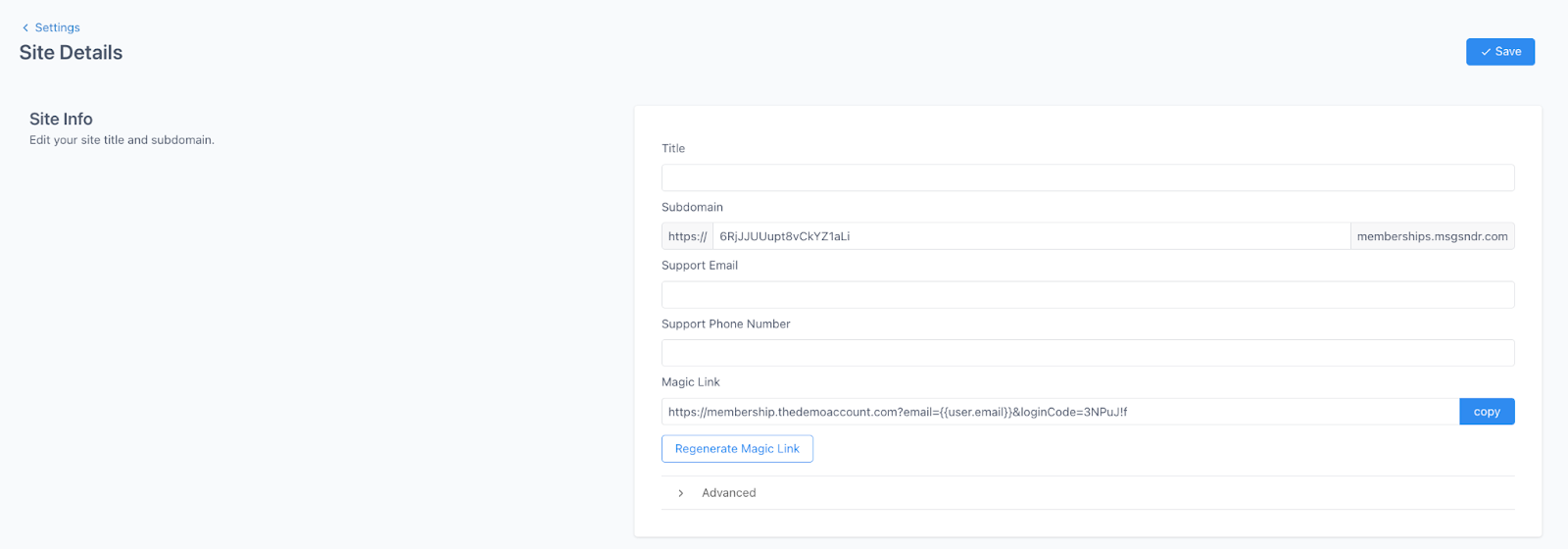
- Click into “Site Details” to update Site Info, Branding, and Builder Settings.
- Site Info: Add your site title, subdomain, support information, and any custom code.
- Branding: add a logo and favicon
- Builder Settings: toggle on or off the download video option
- Click into “Custom Domains” to add a custom domain.

- Click into “Email Settings” to update email settings for the welcome and drip email.
- Toggle on or off the option to automatically send a welcome email when someone completes an offer checkout
- Toggle on or off the option to automatically send an email when drip category is available

- Save any changes you make before leaving the Settings sections.